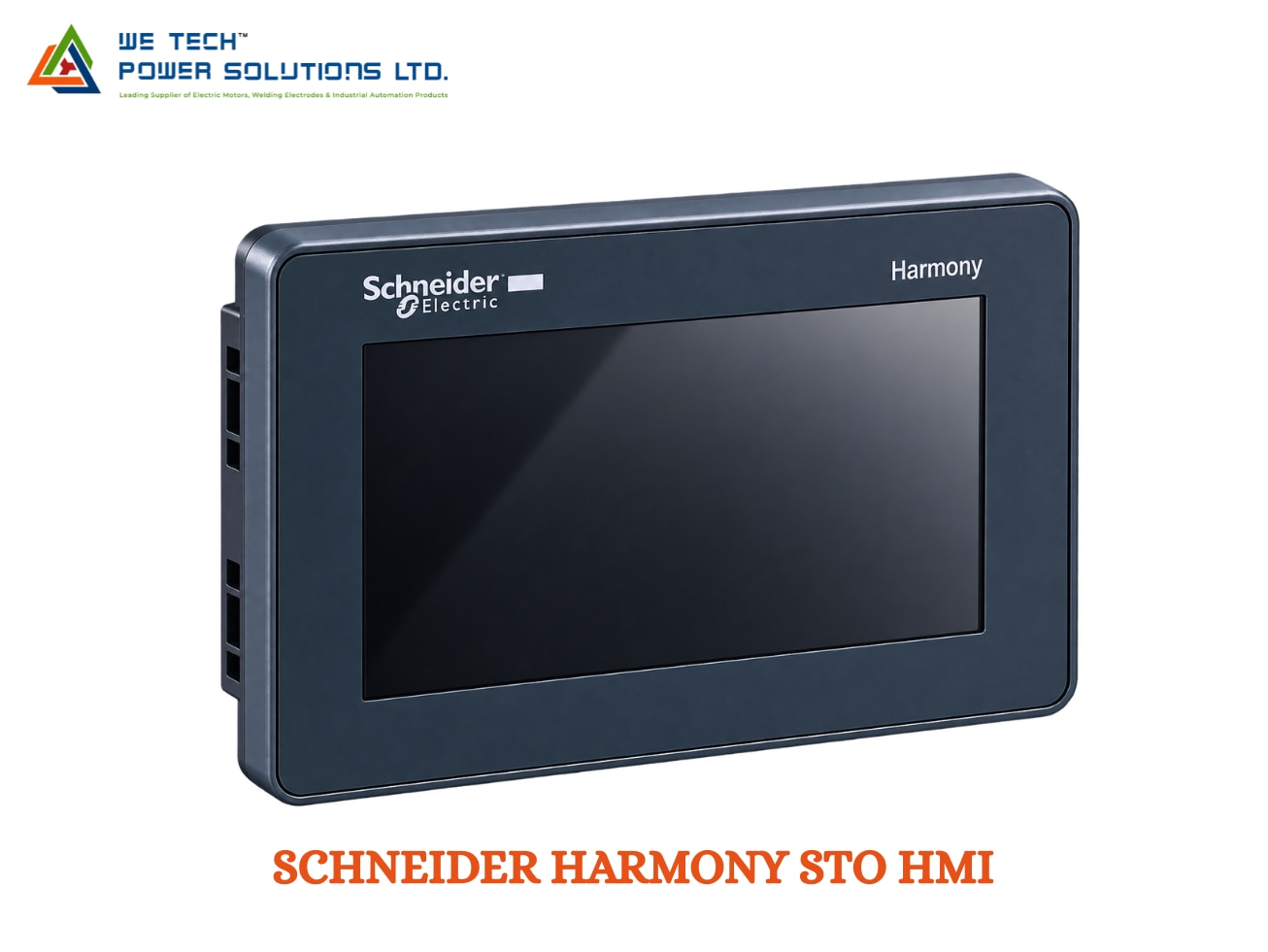
SCHNEIDER HARMONY STO HMI
Description
Schneider Harmony STO HMI
Schneider Harmony STO HMI for Compact Machine Visualization & Operator Control
When machine space is limited, an HMI needs to provide essential operator functions without taking up unnecessary panel area. The Schneider Harmony STO HMI is a compact touchscreen operator panel designed for machine builders who need straightforward visualization, machine control and diagnostics in a small footprint.
The Harmony STO range, formerly associated with Magelis STO, is positioned by Schneider Electric as a cost-effective HMI solution for machine builders. The STO7 series is programmed with EcoStruxure Operator Terminal Expert, making it different from the Harmony STU family, which uses Vijeo Designer.
We Tech Power Solutions Ltd supplies Schneider Electric HMI and automation products for OEMs, machine builders, panel builders and industrial users across Ahmedabad, Gujarat, India and Gulf markets.
What Is Schneider Harmony STO HMI?
Harmony STO is a compact colour touchscreen HMI designed to provide operators with a graphical interface for machine operation and monitoring.
Instead of using multiple individual indicators, meters and push buttons, an STO panel can bring important machine information together on configurable touchscreen pages.
Depending on the application, operators can use the HMI to:
• Monitor machine status
• Start and stop equipment
• View alarms
• Adjust operating parameters
• Display production information
• Check process values
• Navigate machine functions
• View diagnostics
• Interact with connected PLC systems
The exact functions depend on the selected STO model and the application developed in the HMI software.
Why Use Harmony STO for Compact Machines?
Not every machine requires a large industrial touchscreen.
For compact automation systems, a smaller HMI can provide the required operator interface while leaving more room inside the control panel for other equipment.
Harmony STO can be considered when the application requires:
Compact Installation
Suitable for machines where available panel space is restricted.
Simple Operator Interaction
Provide touch-based access to frequently used machine controls.
Clear Visualization
Display machine status, alarms, parameters and operating values.
Modern HMI Engineering
STO7 models use EcoStruxure Operator Terminal Expert for application development.
Industrial Connectivity
Selected configurations provide Ethernet or serial communication according to the model.
Harmony STO7 Model Options
The Schneider Harmony STO range includes several compact configurations.
HMISTO705
A compact STO configuration with a 4.3-inch colour TFT touchscreen and serial communication interface.
It can be considered for applications where basic machine visualization and serial PLC communication are required.
HMISTO715
The HMISTO715 provides a 4.3-inch colour touchscreen with serial communication and USB connectivity.
It can be suitable for compact machines requiring a straightforward operator interface.
HMISTO735
The HMISTO735 provides a 4.3-inch colour touchscreen with embedded Ethernet, making it suitable for applications where network-based machine communication is required.
Schneider's documentation lists the STO7 references HMISTO705, HMISTO715 and HMISTO735.
Note: Exact features, ports, memory and compatibility depend on the complete product reference. Always confirm the current Schneider documentation before ordering.
Touchscreen Interface for Everyday Machine Operation
Harmony STO provides a graphical touchscreen interface that can be configured according to the machine's operating sequence.
Typical HMI screens can include:
• Machine overview
• Start/stop controls
• Alarm screens
• Parameter settings
• Production counters
• Status indicators
• Numeric displays
• Trend information
• Maintenance screens
• Diagnostic pages
• User-access screens
This allows the machine builder to organize the operator experience around the actual process rather than depending entirely on fixed hardware controls.
EcoStruxure Operator Terminal Expert
One of the most important differences between Harmony STO and Harmony STU is the configuration software.
Schneider specifies EcoStruxure Operator Terminal Expert for the HMISTO7 range. The software was previously known as Vijeo XD.
With EcoStruxure Operator Terminal Expert, engineers can develop HMI applications for:
• Touchscreen interfaces
• Machine controls
• Alarm management
• Data visualization
• PLC variables
• User interfaces
• Diagnostic screens
• Operator navigation
Schneider describes the software as a modern HMI development environment with reusable objects, templates, libraries and visualization features.
STO vs STU: Check the Software Before Ordering
This distinction is especially important for HMI replacement projects.
HMI Family Configuration Software
Harmony STO / STO7 EcoStruxure Operator Terminal Expert
Harmony STU Vijeo Designer
Harmony GTO Vijeo Designer
Harmony GTU Model/generation dependent
Schneider's HMI documentation clearly distinguishes STO from STU: Harmony STO is powered by EcoStruxure Operator Terminal Expert, while Harmony STU is powered by Vijeo Designer.
Therefore, an HMI should not be selected solely by comparing screen size.
Communication with PLCs & Automation Equipment
Harmony STO can act as the operator interface between the machine controller and the user.
Depending on the selected model, communication options can include:
• RS-232C
• RS-485
• Ethernet TCP/IP
• USB
• Schneider automation protocols
• Supported PLC communication drivers
Schneider's STO/STU catalog identifies Ethernet 10BASE-T/100BASE-TX on HMISTO735 and serial interfaces on HMISTO705/HMISTO715.
This allows suitable STO configurations to communicate with:
• Schneider Modicon PLCs
• Industrial controllers
• Machine automation equipment
• Compatible third-party PLCs
• Other supported automation devices
Always verify the required communication driver and interface against the selected HMI reference.
Ethernet or Serial? Select According to the Machine
A simple way to approach STO selection is to start with the machine's communication requirement.
For Serial Communication
HMISTO705 and HMISTO715 configurations provide serial communication options and can be considered for machines using serial PLC/HMI communication.
For Ethernet Communication
HMISTO735 includes embedded Ethernet and can be considered where the HMI needs network-based communication.
This makes the exact model number important when replacing an existing HMI.
________________________________________
USB for Commissioning & Maintenance
USB connectivity on applicable STO models can support engineering and service activities.
Depending on the configuration, USB can be useful for:
• Application transfer
• HMI commissioning
• Service operations
• Data-related functions
• Maintenance activities
The exact USB interface and supported functions should be checked in the technical documentation for the selected model.
________________________________________
Where Can Harmony STO HMI Be Used?
Harmony STO is designed around compact machine applications where operators need a dedicated graphical interface.
Packaging Machines
Display machine settings, operating status, alarms and production information.
Assembly Equipment
Provide operators with machine controls, process information and diagnostics.
Material Handling
Monitor conveyor and handling equipment with a compact touchscreen interface.
Small Manufacturing Machines
Provide a centralized operator interface for machine status, settings and alarms.
Pump & Utility Equipment
Display operating values, equipment status and alarms where the selected configuration is suitable.
OEM Machinery
Integrate a compact HMI into specialized machines without requiring a large display panel.
________________________________________
Industries & Applications
Harmony STO can be considered for:
• Machine Building
• OEM Automation
• Packaging
• Assembly
• Manufacturing
• Material Handling
• Food & Beverage Machinery
• Pumping Systems
• Utility Equipment
• Compact Production Equipment
• Industrial Retrofit Projects
________________________________________
Technical Overview of Schneider Harmony STO HMI
Parameter Details
Brand Schneider Electric
Product Family Harmony STO
Former / Related Name Magelis STO
Product Type Compact Colour Touchscreen HMI
STO7 References HMISTO705, HMISTO715, HMISTO735
Display 4.3-inch colour TFT touchscreen on STO7 references
HMISTO705 Communication Serial
HMISTO715 Communication Serial
HMISTO735 Communication Ethernet
USB Available on applicable configurations
Ethernet 10BASE-T/100BASE-TX on HMISTO735
Programming Software EcoStruxure Operator Terminal Expert
Former Software Name Vijeo XD
Application Machine control, visualization and monitoring
Typical Installation Compact machine/control panels
The exact memory, interfaces, power supply, protection rating and other technical characteristics depend on the complete order number. Confirm the product reference before purchase.
________________________________________
Harmony STO for OEM Machine Builders
For OEMs, an HMI often needs to balance functionality with available panel space and overall machine design.
Harmony STO can be useful where the machine requires:
• A compact operator screen
• Touch-based control
• Simple graphical visualization
• PLC communication
• Alarm and status display
• Modern HMI software
• A standardized Schneider Electric automation ecosystem
The compact format can help machine builders keep the operator station clean while reserving cabinet space for PLCs, drives, power supplies and other control components.
HMI Replacement & Retrofit Considerations
For an existing Magelis or Harmony HMI replacement, selecting the correct STO model requires more than matching the screen size.
Before replacement, check:
Existing HMI
• Complete part number
• Display size
• Communication interface
• PLC model
• Existing HMI project
• Software used
• Firmware version
• Panel cut-out
• Power supply
Proposed Replacement
• STO model
• Communication compatibility
• Software compatibility
• Panel dimensions
• Mounting requirements
• Project migration requirements
• Required accessories
For example, an existing application built around Vijeo Designer should not automatically be assumed to transfer directly to an STO7 panel because STO7 uses EcoStruxure Operator Terminal Expert. Schneider provides migration information and support documentation for its HMI software ecosystem.
Lifecycle & Product Selection Note
The broader STO/STU family is a long-established Schneider HMI range, and Schneider's current documentation continues to provide information for the STO7 family and its programming environment.
At the same time, Schneider has introduced newer compact HMI families such as Harmony ST6 and STM6, which use EcoStruxure Operator Terminal Expert.
For a new machine, customers should therefore compare the exact STO reference with Schneider's current product alternatives. For an existing machine, the original part number and project compatibility remain the most important selection factors.
Schneider Harmony STO HMI Supplier in Ahmedabad, Gujarat & India
Looking for a Schneider Harmony STO HMI supplier in Ahmedabad?
We Tech Power Solutions Ltd supplies Schneider Electric automation products for:
• Machine builders
• OEMs
• Panel builders
• Manufacturing plants
• Industrial automation integrators
• Retrofit and maintenance teams
We can assist with:
• Harmony STO HMI selection
• HMISTO705 enquiries
• HMISTO715 enquiries
• HMISTO735 enquiries
• PLC-HMI compatibility
• HMI replacement
• Software compatibility checks
• Automation product sourcing
• Quotation assistance
We support enquiries across:
Ahmedabad | Gujarat | India | UAE | Dubai | Abu Dhabi | Saudi Arabia | Qatar | Oman | Kuwait | Bahrain
Why Choose We Tech Power Solutions Ltd?
The correct HMI depends on the complete automation architecture, not just the screen size.
We Tech Power Solutions Ltd can help evaluate:
• Machine application
• PLC model
• Communication protocol
• Existing HMI reference
• Display requirement
• Software environment
• Replacement requirements
• Panel installation requirements
Share your existing HMI part number or machine details to identify the appropriate Schneider HMI solution.
Frequently Asked Questions
1. What is Schneider Harmony STO HMI?
Harmony STO is a compact Schneider Electric colour touchscreen HMI family designed for machine visualization, operator control and diagnostics. Schneider positions it as a cost-effective solution for machine builders.
2. Which software is used for Harmony STO HMI?
The Harmony STO7 series uses EcoStruxure Operator Terminal Expert, formerly known as Vijeo XD.
3. What is the difference between Harmony STO and Harmony STU?
The main software distinction is that Harmony STO uses EcoStruxure Operator Terminal Expert, whereas Harmony STU uses Vijeo Designer. Both are compact HMI families, but their software environments and hardware references differ.
4. Does Harmony STO support Ethernet?
Yes, the HMISTO735 configuration includes embedded Ethernet, while HMISTO705 and HMISTO715 provide serial communication configurations.
5. What are the main Harmony STO models?
The STO7 family includes HMISTO705, HMISTO715 and HMISTO735. The exact communication interfaces differ between these references.
Get Schneider Harmony STO HMI for Your Automation Project
Need a Schneider Harmony STO HMI in Ahmedabad, Gujarat or India?
Share your existing HMI model, PLC details, required communication interface or machine application with We Tech Power Solutions Ltd.
Our team can help identify the appropriate Harmony STO configuration for your machine automation, operator-panel or retrofit requirement.
Contact We Tech Power Solutions Ltd for Schneider Harmony STO HMI product selection and quotation support.