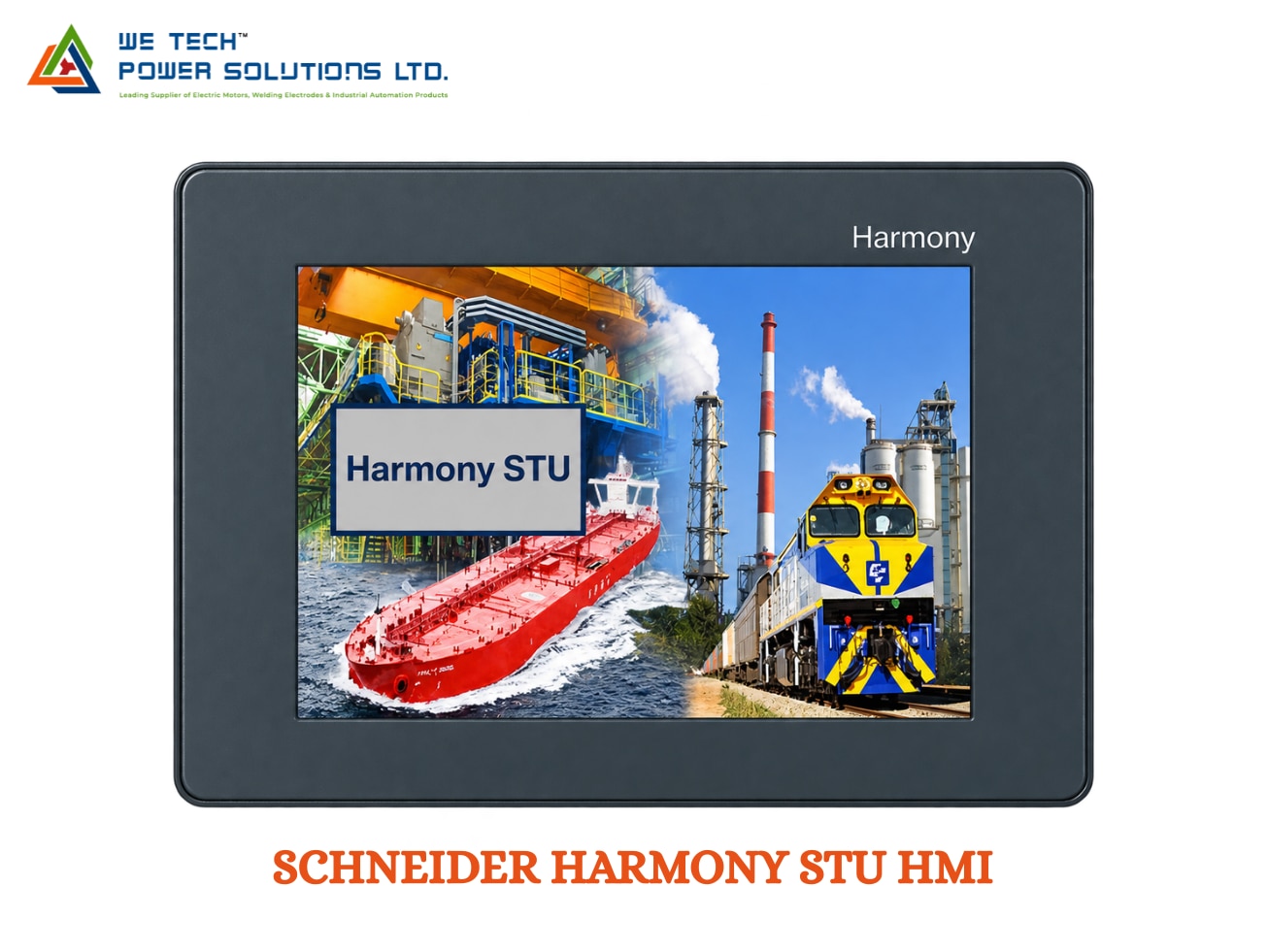
SCHNEIDER HARMONY STU HMI
Description
Schneider Harmony STU HMI
Schneider Harmony STU HMI for Compact Machine Operation & Retrofit Applications
When a machine has limited panel space but still needs a dedicated operator interface, a compact HMI can provide an effective solution. The Schneider Harmony STU HMI is a compact touchscreen operator panel designed for machine control, visualization, alarms and industrial equipment monitoring.
The Harmony STU family is associated with the earlier Magelis STU range and includes compact 3.5-inch and 5.7-inch touchscreen configurations. Schneider documentation identifies HMISTU655 and HMISTU855 references and their modular HMIS5T/HMIS65/HMIS85 combinations.
For existing machines, the STU family can also be relevant to HMI replacement and retrofit projects, where maintaining the existing Vijeo Designer environment and compact installation concept is important.
We Tech Power Solutions Ltd provides Schneider Electric automation product sourcing and selection assistance for customers in Ahmedabad, Gujarat, India and Gulf markets.
What Is Schneider Harmony STU HMI?
Harmony STU is a compact industrial HMI designed to provide operators with a graphical interface for interacting with machines and automation systems.
Instead of using numerous individual push buttons, indicators and meters, the HMI can combine machine information and operator commands into configurable touchscreen pages.
Typical functions include:
• Machine start/stop controls
• Parameter adjustment
• Alarm visualization
• Machine status display
• Production counters
• Process monitoring
• Diagnostic information
• Operator navigation
• PLC data visualization
The actual functions available depend on the HMI model and the configured Vijeo Designer application.
Compact Design for Space-Constrained Machines
One of the main reasons to consider the Harmony STU platform is its compact installation concept.
The STU family includes small touchscreen displays that can be integrated into machine control panels where a larger HMI would occupy unnecessary space.
This makes the platform relevant for:
• Compact machines
• OEM equipment
• Packaging machines
• Small production systems
• Conveyors
• Assembly equipment
• Pumping equipment
• Utility machinery
• Retrofit projects
The HMISTU655 is associated with a 3.5-inch display, while the HMISTU855 uses a 5.7-inch display. Schneider also documents the HMIS5T rear module with interchangeable HMIS65 and HMIS85 display modules in later-generation configurations.
HMISTU655 vs HMISTU855
HMISTU655
The HMISTU655 is the compact 3.5-inch STU configuration.
It can be suitable when:
• Panel space is restricted
• Only essential machine information needs to be displayed
• A compact operator interface is required
• The machine has relatively simple visualization requirements
HMISTU855
The HMISTU855 provides a larger 5.7-inch touchscreen interface.
The additional display area can be useful for:
• More detailed machine graphics
• Multiple operating values
• Alarm information
• Parameter screens
• Production information
• More extensive operator navigation
Schneider documents the HMISTU655 and HMISTU855 as part of the STU family and explains how later-generation products use the HMIS5T rear module with separate display modules.
Modular Screen & Rear-Module Architecture
A particularly important point when working with STU products is that the part number does not always represent a single physical component.
For later-generation products:
HMISTU655 = HMIS5T rear module + HMIS65 3.5-inch display
HMISTU855 = HMIS5T rear module + HMIS85 5.7-inch display
Schneider states that the HMIS5T rear module can use either the HMIS65 or HMIS85 display module.
This modular arrangement can be useful during replacement because the screen and rear module can be identified separately.
Why This Matters During Replacement
Before ordering an STU replacement, check the label on the rear module.
Schneider specifically recommends selecting the correct target type in Vijeo Designer according to the rear-module label, such as HMIS5T, rather than assuming every HMISTU-branded unit should be configured as HMISTU655 or HMISTU855.
Vijeo Designer for Machine Visualization
Harmony STU uses Vijeo Designer for HMI application development.
Schneider describes Vijeo Designer as HMI configuration software compatible with Harmony and Magelis HMI products.
With Vijeo Designer, machine builders can create screens for:
• Push-button controls
• Numeric data
• Alarm messages
• Trends
• Status indicators
• Machine parameters
• PLC variables
• Operator navigation
• Diagnostic information
• Production monitoring
This makes the STU suitable for machine-level visualization where the operator needs access to important control information from a compact panel.
Communication with PLCs & Automation Equipment
The STU platform supports communication with controllers and automation devices through applicable communication interfaces.
Schneider's STU/STO documentation identifies:
• RS-232C / RS-485 serial communication
• Modbus
• Uni-TE
• Ethernet TCP/IP on applicable models
• USB interfaces
• Supported PLC communication drivers
The documented STU communication environment includes support for PLC brands such as Schneider Electric, Allen-Bradley, Omron, Mitsubishi and Siemens through supported protocols/drivers.
This allows the HMI to act as the operator interface between the machine controller and the person operating the equipment.
Ethernet Connectivity for Connected Machines
Ethernet-equipped STU configurations provide a network connection for applications requiring communication over an industrial Ethernet network.
The Schneider catalog identifies an Ethernet TCP/IP port using 10BASE-T/100BASE-TX for applicable STU configurations.
Depending on the application, Ethernet can be used for:
• PLC communication
• HMI project transfer
• Networked machine monitoring
• Industrial data communication
• Maintenance and diagnostics
Exact networking capabilities should always be checked against the selected STU reference.
USB Connectivity for Engineering & Service
USB connectivity can be useful during commissioning and maintenance.
Schneider documentation identifies USB Type-A and mini-B interfaces for applicable STU configurations, while Schneider also documents downloading Vijeo Designer applications to HMISTU units using a USB-A to USB Mini-B cable.
This can simplify:
• Project downloads
• HMI commissioning
• Application updates
• Maintenance activities
• Service work
Where Can Harmony STU HMI Be Used?
The compact design of the STU makes it suitable for machine-level applications where a large operator panel is unnecessary.
Packaging Machinery
Display machine settings, production counts, alarms and operating status.
Assembly Machines
Provide operators with machine controls, process information and diagnostics.
Material Handling
Monitor conveyors, transfer equipment and related machine conditions.
Pump & Utility Systems
Display operating parameters, status and alarm information.
OEM Machinery
Integrate a compact touchscreen into specialized machines with limited panel space.
Manufacturing Equipment
Provide operators with a dedicated interface for machine monitoring and control.
Industries & Applications
Schneider Harmony STU HMI can be considered for:
• Manufacturing
• Packaging
• Assembly
• Material Handling
• Food & Beverage Machinery
• Pumping Systems
• Utility Equipment
• OEM Machine Building
• Industrial Equipment
• Compact Automation Systems
• Machine Retrofit Projects
Technical Overview
Parameter Details
Brand Schneider Electric
Product Family Harmony STU
Former Name Magelis STU
Product Type Compact Industrial HMI
HMISTU655 3.5-inch configuration
HMISTU855 5.7-inch configuration
Display Colour TFT touchscreen
Architecture Display + rear module on later-generation STU
Programming Software Vijeo Designer
Communication RS-232C / RS-485, Ethernet on applicable models
Protocols Modbus, Uni-TE and supported PLC protocols
USB Type-A / Mini-B on applicable configurations
Ethernet 10BASE-T/100BASE-TX on applicable models
Mounting Concept Compact machine-panel installation
Applications Machine control, visualization and monitoring
Exact resolution, memory, communication interfaces, power requirements and environmental specifications depend on the selected reference. Confirm the complete Schneider order number before purchasing.
STU Software Compatibility Is Important
When working with an existing Harmony/Magelis STU HMI, software version compatibility should be checked before attempting a project download.
Schneider provides different Vijeo Designer requirements depending on the HMIS5T hardware revision. For example, Schneider states that certain HMIS5T rear modules with specific firmware revisions require Vijeo Designer 6.3 SP1 or later, while other hardware revisions require earlier minimum versions.
This means that the HMI's:
• Part number
• Rear-module label
• Firmware/software revision
• Project version
should be identified before programming or replacement.
HMI Replacement & Retrofit Support
The Harmony STU family is particularly relevant for customers maintaining existing machines.
Schneider has documented replacement options within the STU family, including combinations involving:
• HMISTU655
• HMISTU855
• HMIS5T
• HMIS65
• HMIS85
Schneider also provides alternative HMI options such as Harmony GTO for customers who have an appropriate Vijeo Designer license, although physical mounting and communication changes may be required.
Before Replacing an STU HMI
Check:
Existing HMI
• Complete part number
• Rear-module label
• Display size
• Firmware revision
• Communication interface
• PLC model
• Vijeo Designer project
Replacement HMI
• Compatible display
• Rear module
• Panel mounting
• Communication ports
• Software version
• Project compatibility
This helps avoid selecting a physically similar HMI that is not compatible with the existing automation system.
Lifecycle Consideration
The STU family is now primarily relevant to existing installations, replacement requirements and legacy-system maintenance rather than being treated as a completely new-generation HMI platform.
Schneider's support documentation continues to cover HMISTU655, HMISTU855 and HMIS5T, including programming and compatibility information. At the same time, Schneider has documented discontinuation of certain STU references and has provided alternative products for some replacement situations.
Therefore, customers should provide the exact HMI part number when requesting availability or a replacement recommendation.
Schneider Harmony STU HMI Supplier in Ahmedabad, Gujarat & India
Looking for a Schneider Harmony STU HMI supplier in Ahmedabad?
We Tech Power Solutions Ltd supplies Schneider Electric automation products for machine builders, OEMs, panel builders and industrial users.
We can assist with:
• Harmony STU HMI identification
• HMISTU655 / HMISTU855 enquiries
• HMIS5T module identification
• HMI replacement
• Vijeo Designer compatibility checks
• PLC-HMI compatibility
• Retrofit requirements
• Product sourcing and quotation
We support industrial automation enquiries across:
Ahmedabad | Gujarat | India | UAE | Dubai | Abu Dhabi | Saudi Arabia | Qatar | Oman | Kuwait | Bahrain
Why Choose We Tech Power Solutions Ltd?
Selecting a legacy HMI replacement can require more than finding the same screen size.
We Tech Power Solutions Ltd can help evaluate:
• Existing HMI reference
• Rear-module identification
• Display requirements
• PLC communication
• Software compatibility
• Replacement alternatives
• Panel installation requirements
• Automation-system requirements
Share the HMI model number or a photograph of the existing unit for product-selection assistance.
Frequently Asked Questions
1. What is Schneider Harmony STU HMI?
Harmony STU is a compact Schneider Electric HMI family designed for machine visualization and operator control. The family includes 3.5-inch and 5.7-inch configurations such as HMISTU655 and HMISTU855.
2. Which software is used for Harmony STU HMI?
Harmony STU uses Vijeo Designer for HMI application configuration. The exact Vijeo Designer version required depends on the HMI hardware and firmware revision.
3. What is the difference between HMISTU655 and HMISTU855?
The HMISTU655 is associated with a 3.5-inch display, while the HMISTU855 uses a 5.7-inch display. Later-generation units use the HMIS5T rear module with interchangeable HMIS65 or HMIS85 display modules.
4. Can Harmony STU be replaced with another Schneider HMI?
Yes, depending on the existing application. Schneider documents alternatives within the STU family as well as GTO and other Harmony options. However, software, communication, mounting and project compatibility must be checked before replacement.
Get Schneider Harmony STU HMI for Your Automation Requirement
Need a Schneider Harmony STU HMI in Ahmedabad, Gujarat or India?
Send We Tech Power Solutions Ltd your existing HMI part number, PLC model or machine application. Our team can help identify the appropriate STU configuration or evaluate a suitable replacement for your automation system.
Contact We Tech Power Solutions Ltd for Schneider HMI product selection, replacement assistance and quotation support.