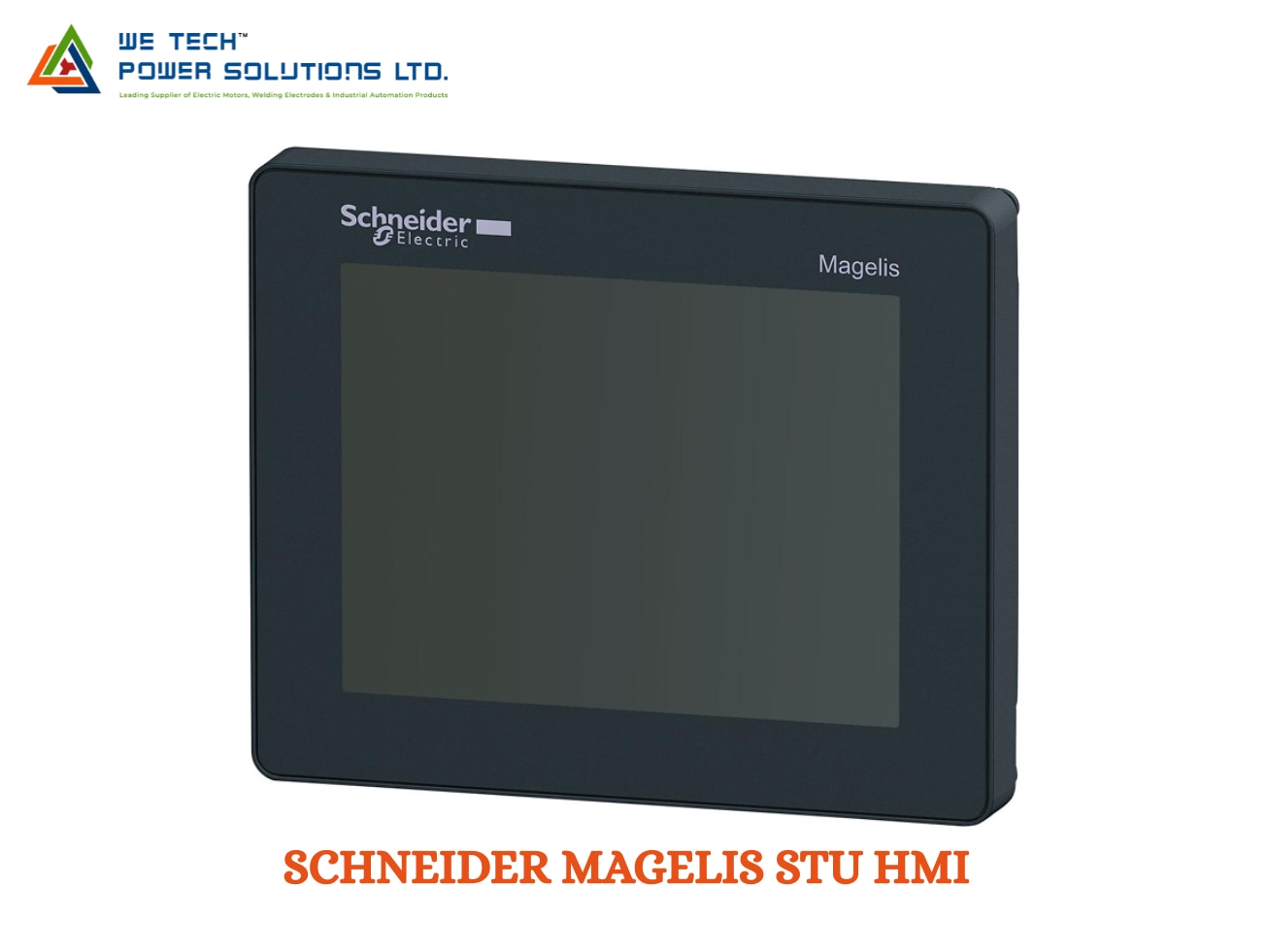
SCHNEIDER MAGELIS STU HMI
Description
Schneider Magelis STU HMI
Schneider Magelis STU HMI for Compact Machine Control & Visualization
When machine-panel space is limited, an HMI needs to provide the essential visualization and operator-control functions without making the installation unnecessarily complicated. The Schneider Magelis STU HMI is a compact touchscreen operator interface designed for machine builders and industrial automation applications.
Schneider Electric currently identifies the range as Harmony STU, formerly known as Magelis STU. It is positioned as a cost-effective and compact HMI solution, with the STU range configured using Vijeo Designer.
We Tech Power Solutions Ltd supplies Schneider Electric HMI products for OEMs, machine builders, panel builders, system integrators and industrial customers across Ahmedabad, Gujarat and India.
What Is Schneider Magelis STU HMI?
The Magelis STU is a compact touchscreen Human Machine Interface that allows operators to interact with automated machines through graphical screens.
It can be used to display:
• Machine operating status
• Process values
• Alarm conditions
• Control buttons
• Machine parameters
• Diagnostic information
• Production information
• Equipment status
The HMI works alongside a PLC or other automation controller, providing the visual layer through which operators monitor and control the machine.
Schneider describes the Harmony STO/STU family as compact, cost-effective HMI panels intended for machine builders.
Why Choose Magelis STU for Compact Machines?
The STU range is particularly relevant when the machine requires an HMI but the control panel has limited space.
Compact Form Factor
The small-panel design allows the HMI to be integrated into compact machine control panels.
Touchscreen Operation
Operators can interact directly with graphical screens instead of relying on physical push buttons for every machine function.
Simplified Installation
Selected STU models use a mounting arrangement designed to simplify installation. For example, the HMISTU655 uses a 22 mm diameter mounting hole, avoiding the need for a conventional large rectangular panel cut-out.
Industrial Communication
Depending on the exact model, STU terminals can provide Ethernet and serial communication interfaces for connection with automation systems.
Vijeo Designer Support
Harmony STU terminals are configured using Vijeo Designer, Schneider Electric's classic HMI configuration software.
Compact Display, Practical Operator Interface
The Harmony STO/STU family covers compact colour HMI panels in the 3.5-inch to 5.7-inch range.
This makes the STU suitable where the operator interface does not require a large-format industrial display.
Screen selection should consider:
• Available panel space
• Operator viewing distance
• Amount of information displayed
• Number of machine screens
• Required graphical detail
• Existing panel cut-out
• Replacement requirements
For compact machinery, a smaller STU display can provide the necessary machine information while keeping the control panel layout simple.
Magelis STU Communication & Connectivity
An HMI becomes useful when it can exchange information with the automation system.
Depending on the exact STU model, available interfaces can include:
• Ethernet TCP/IP
• RS-232C
• RS-485
• USB host
• USB device
• PLC communication
• Industrial automation-device connectivity
For example, Schneider's HMISTU655 specifies one Ethernet TCP/IP port, one RS-232C/RS-485 port, one host USB port and one mini-B USB port.
The exact communication interfaces must always be verified against the selected HMISTU reference.
HMI Software: Vijeo Designer
The Magelis STU HMI is configured using Vijeo Designer.
Schneider's Vijeo Designer documentation specifically lists Harmony STU among the supported HMI platforms.
The software can be used to develop operator-interface applications containing:
• Graphical machine screens
• Push buttons
• Status indicators
• Alarm displays
• Numeric values
• Parameter-entry fields
• Trends
• Diagnostic screens
• Navigation menus
• Process information
This allows machine builders to create an HMI application based on the actual operating sequence and requirements of the equipment.
What Can Operators Do Through an STU HMI?
A properly configured STU HMI can bring several machine functions into one operator interface.
Monitor
View machine status, process values and operating conditions.
Control
Start, stop or control machine functions through configured operator commands.
Adjust
Change permitted machine parameters and operating settings.
Diagnose
View alarms, warnings and diagnostic information.
Track
Display production counts, process values and other machine information.
Maintain
Provide technicians with machine-status and troubleshooting information.
Magelis STU HMI Applications
The compact nature of the STU makes it suitable for a variety of machine-level applications.
Compact Packaging Machines
Use the HMI for machine settings, cycle control, alarms and production information.
Material Handling Systems
Monitor conveyors, sensors, motors and handling sequences.
Assembly Machines
Provide operators with machine controls, status screens and diagnostic information.
Food & Beverage Equipment
Support visualization and operator control for processing and packaging machinery.
Pumping Systems
Display equipment status, operating parameters and alarm conditions.
OEM Machinery
Provide a standardized operator interface for machines manufactured for specific industrial applications.
Small Production Equipment
Use the HMI as a compact operator station for automated production machines.
Industries Where Magelis STU HMI Can Be Used
Typical industries and application areas include:
• Manufacturing
• Packaging
• Food & beverage
• Material handling
• Assembly automation
• Machine building
• Pharmaceutical equipment
• Industrial utilities
• Process equipment
• OEM automation
Schneider specifically identifies applications such as compact machines, handling systems, food & beverage machines and pharmaceutical industry applications for the STU family.
________________________________________
Schneider Magelis STU HMI – Technical Overview
Parameter Details
Brand Schneider Electric
Product Family Magelis STU / Harmony STU
Product Type Compact touchscreen HMI
Current Schneider Name Harmony STU
Former Name Magelis STU
Display Range Approx. 3.5' to 5.7' depending on model
Touchscreen Yes
HMI Software Vijeo Designer
Ethernet Available on applicable models
Serial Communication Available on applicable models
USB Available on applicable models
Power Supply Model-dependent, commonly 24 V DC
Installation Panel / machine mounting
Application Machine visualization and operator control
Selection Exact HMISTU order number required
For example, Schneider's HMISTU655 is a 3.5-inch colour TFT LCD model with 320 × 240 QVGA resolution, 32 MB EPROM, Ethernet TCP/IP, RS-232C/RS-485 and USB interfaces.
Important: Specifications vary between STU models. Confirm the complete HMISTU part number before purchase.
How to Select the Right Magelis STU HMI?
Selecting the correct STU should begin with the machine and panel requirements.
1. Check the Existing Panel Space
Measure the available installation area and determine whether the project is a new installation or an HMI replacement.
2. Select the Display Size
Choose the screen size based on viewing distance and the amount of information operators need to access.
3. Verify Communication
Check the PLC communication protocol and confirm that the selected STU provides the required Ethernet or serial interface.
4. Check the Existing HMI Project
If replacing an existing Magelis HMI, verify the compatibility of the current Vijeo Designer project with the proposed STU model.
5. Consider Installation Method
For retrofit projects, the mounting arrangement and panel cut-out are particularly important.
6. Review Environmental Requirements
Check operating temperature, humidity, vibration and front-panel protection requirements for the installation environment.
7. Confirm the Complete Model Number
The STU family contains multiple references with different display, communication and memory specifications. The exact HMISTU order number should be confirmed before ordering.
Magelis STU for HMI Replacement & Retrofit Projects
The STU can also be considered for machine maintenance and retrofit requirements where an existing operator interface needs replacement.
Before replacing an existing HMI, compare:
• Existing HMI model
• Screen size
• Panel cut-out
• Supply voltage
• Communication ports
• PLC protocol
• Vijeo Designer project
• Application memory
• Environmental specifications
For older machines, checking the exact existing part number is especially important because the replacement product may not have identical mechanical or communication characteristics.
Schneider Magelis STU HMI Supplier in Ahmedabad, Gujarat & India
We Tech Power Solutions Ltd supplies Schneider Electric HMI and industrial automation products for OEMs, machine builders, panel builders and system integrators.
If you are looking for a Schneider Magelis STU HMI supplier in Ahmedabad, we can assist with:
• HMI model identification
• STU product selection
• Replacement HMI requirements
• Screen-size selection
• PLC-HMI compatibility
• Communication-interface review
• Vijeo Designer compatibility
• Industrial automation product sourcing
We support automation product requirements across Ahmedabad, Gujarat and India.
Schneider Magelis STU HMI for Gulf Countries
We Tech Power Solutions Ltd can also support industrial automation product requirements for Gulf-region customers and projects.
Our target markets include:
• UAE
• Dubai
• Abu Dhabi
• Saudi Arabia
• Qatar
• Oman
• Kuwait
• Bahrain
For Gulf enquiries, provide the complete HMISTU part number, quantity, application and delivery location for accurate product evaluation and quotation.
Why Choose We Tech Power Solutions Ltd?
Choosing an HMI requires more than selecting a screen. Communication, software, installation and compatibility with the existing automation system also need to be considered.
We Tech Power Solutions Ltd supports customers with:
• Schneider HMI sourcing
• Magelis STU product identification
• HMI replacement support
• PLC-HMI compatibility checks
• Communication requirement review
• Industrial automation product sourcing
• OEM machine requirements
• India and Gulf project support
Frequently Asked Questions
1. Is Magelis STU still the current Schneider product name?
Schneider Electric currently presents the range as Harmony STU, formerly known as Magelis STU. The Magelis name remains relevant when searching for legacy products and replacement requirements.
2. Which software is used to program the Magelis STU HMI?
The Harmony STU is configured using Vijeo Designer. Schneider's Vijeo Designer documentation specifically includes Harmony STU among the supported HMI platforms.
3. What type of machines can use a Magelis STU HMI?
STU HMIs are suitable for compact machines and applications such as handling systems, food & beverage machinery, pharmaceutical equipment and other industrial automation systems requiring a compact touchscreen operator interface.
Get the Right Schneider Magelis STU HMI
Looking for a Schneider Magelis STU HMI supplier in Ahmedabad, Gujarat or India?
Share your complete HMISTU part number, screen size, PLC model, communication requirement and quantitywith We Tech Power Solutions Ltd.
Our team can help you identify the appropriate STU HMI for your machine automation or replacement requirement.
Contact We Tech Power Solutions Ltd for Schneider Magelis STU HMI enquiry and quotation support.