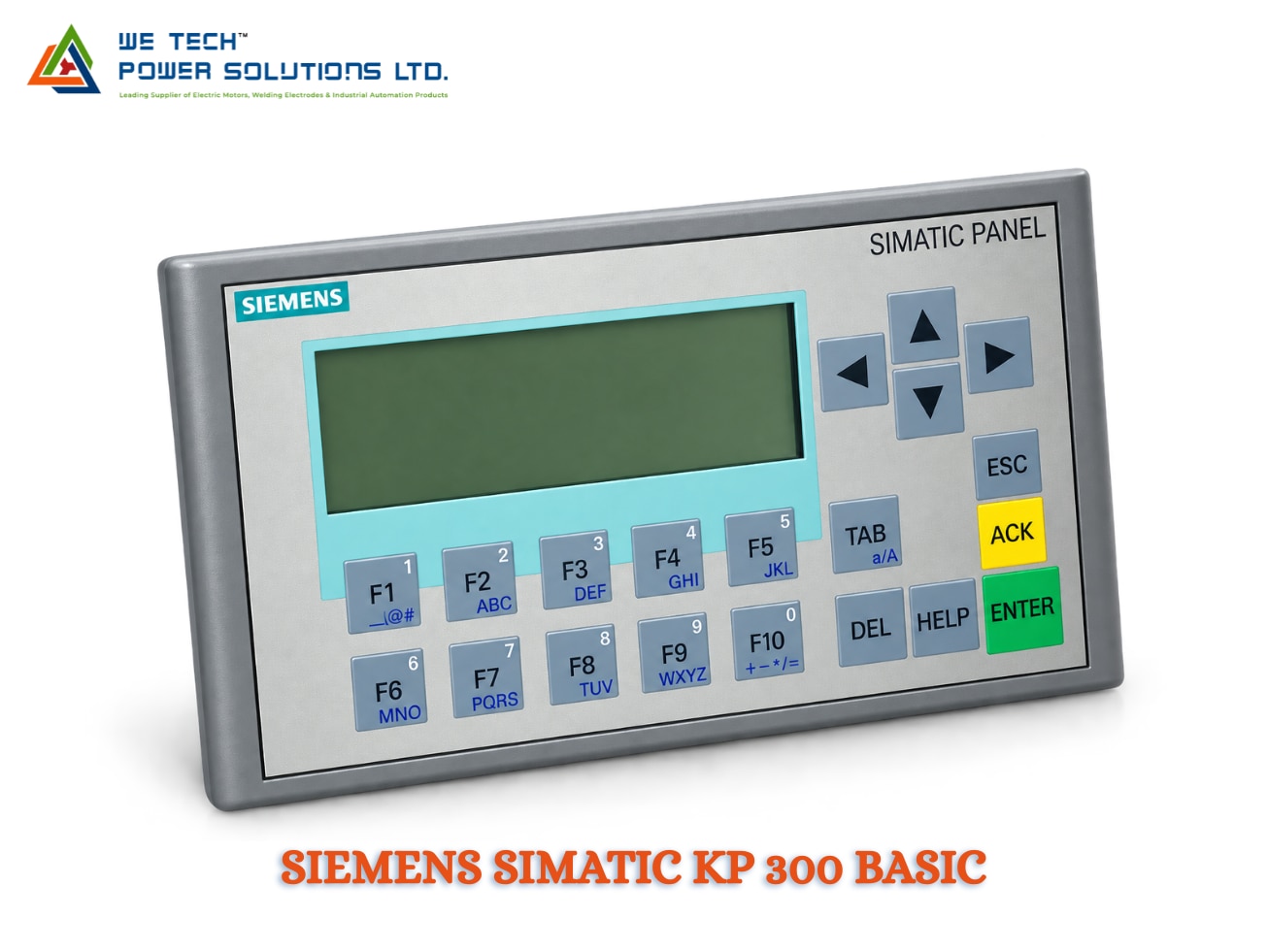
SIEMENS SIMATIC KP 300 BASIC
Description
Siemens SIMATIC Basic HMI Panels
Siemens SIMATIC Basic HMI Panels for Simple & Reliable Machine Operation
Siemens SIMATIC HMI Basic Panels provide a practical operator interface for machines, production equipment and straightforward automation applications. They are designed for applications where operators need clear visualization, machine control, alarms, parameters and process information without the advanced features of higher-end Comfort or Unified Comfort panels.
The Siemens Basic Panel range includes different display sizes and operating concepts, allowing machine builders to select a suitable HMI according to screen size, communication interface and operator requirements. Siemens' 2nd Generation Basic Panels include 4-inch, 7-inch, 9-inch and 12-inch display options, with key/touch and touch-only configurations.
We Tech Power Solutions Ltd supplies Siemens SIMATIC Basic HMI panels for OEM machines, industrial automation projects, production lines and replacement requirements across Ahmedabad, Gujarat and India.
What Are Siemens SIMATIC Basic HMI Panels?
SIMATIC Basic Panels are Siemens' entry-level HMI devices intended for simple machine and process visualization.
They provide an interface between the operator and automation equipment such as PLCs, drives, sensors and machine components.
Typical operator functions include:
• Machine start/stop control
• Process-value display
• Parameter entry
• Alarm acknowledgement
• Machine-status monitoring
• Production counters
• Diagnostic messages
• Recipe or parameter handling
• Manual operating screens
• Basic process visualization
The right panel depends on the machine size, required display area, communication interface and engineering environment.
Siemens SIMATIC Basic HMI Models
The WTPSL range can be organized around the following Siemens Basic HMI models:
SIMATIC KTP400 Basic
A compact 4-inch key/touch HMI suitable for machines where panel space is limited.
Typical configuration:
• 4-inch TFT widescreen display
• 65,536 colors
• Key/touch operation
• PROFINET interface
• Suitable for compact machine visualization
Siemens documents 6AV2123-2DB03-0AX0 as the KTP400 Basic reference.
SIMATIC KTP700 Basic
A 7-inch key/touch operator panel for machines requiring more visualization space than a compact 4-inch HMI.
Typical applications include:
• Packaging machines
• Conveyors
• Assembly equipment
• Production machinery
• Material-handling systems
Siemens lists 6AV2123-2GB03-0AX0 for the KTP700 Basic with a PROFINET interface.
SIMATIC KTP900 Basic
The 9-inch KTP900 Basic provides a larger visualization area for machines with more process information and operator controls.
It features:
• 9-inch TFT display
• 800 × 480 resolution
• 65,536 colors
• Key/touch operation
• PROFINET interface
• 8 function keys
The documented reference is 6AV2123-2JB03-0AX0.
SIMATIC KTP1200 Basic
The 12-inch KTP1200 Basic is intended for applications where a larger operator interface is required.
Typical uses include:
• Large production machines
• Process equipment
• Packaging lines
• Material-handling systems
• Manufacturing plants
The standard PROFINET version is 6AV2123-2MB03-0AX0. Siemens also documents a PROFIBUS version, KTP1200 Basic DP, under a separate article number.
Touchscreen or Key + Touch Operation?
One advantage of the Basic Panel family is the choice of operator interface.
Key + Touch Panels
KTP-series devices combine:
• Touchscreen operation
• Physical function keys
• Direct machine commands
• On-screen controls
This can be useful where operators prefer dedicated physical buttons for frequently used functions.
Touch-Only Panels
Siemens also documents touch-only Basic Panel variants such as:
• TP400 Basic
• TP700 Basic
• TP900 Basic
These provide touchscreen operation without dedicated physical function keys.
Basic Panel Display Options
The Basic Panel range provides different display sizes so machine builders can select the appropriate visualization area.
Model Display Operation Typical Interface
KTP400 Basic 4' Key + Touch PROFINET
KTP700 Basic 7' Key + Touch PROFINET
KTP900 Basic 9' Key + Touch PROFINET
KTP1200 Basic 12' Key + Touch PROFINET
KTP1200 Basic DP 12' Key + Touch PROFIBUS
TP400 Basic 4' Touch PROFINET
TP700 Basic 7' Touch PROFINET
TP900 Basic 9' Touch PROFINET
Siemens' 2nd Generation documentation confirms the 4', 7', 9' and 12' Basic Panel range and the corresponding PROFINET/PROFIBUS variants.
Communication with Siemens PLCs
Basic Panels are designed to connect the HMI with the automation controller.
Depending on the selected model, communication can be through:
• PROFINET
• Industrial Ethernet
• PROFIBUS DP
• RS-485/RS-422 on applicable variants
For example, the KTP400 Basic reference documented by Siemens provides a PROFINET interface and is configurable from WinCC Basic V13 / STEP 7 Basic V13.
The communication interface should always be checked against the PLC and existing machine architecture before ordering.
USB Connectivity & Data Handling
Siemens Basic Panels 2nd Generation include a USB interface that can be used for functions such as:
• Connecting a keyboard
• Connecting a mouse
• Connecting a barcode scanner
• Data archiving
• Backing up panel data
• Restoring panel data
This makes the USB interface useful during commissioning, maintenance and machine servicing.
Engineering & Configuration
The exact engineering software depends on the Basic Panel generation and article number.
For documented 2nd Generation Basic Panels, Siemens specifies configuration through the TIA Portal / WinCC Basicenvironment.
Older references may have different minimum software versions, so the complete Siemens order number should be confirmed before engineering or replacement.
Why Use Siemens Basic HMI Panels?
1. Simple Operator Control
Basic Panels provide the essential functions required for straightforward machine operation.
2. Multiple Display Sizes
Choose from compact 4-inch panels through larger 12-inch versions.
3. Physical Keys Where Required
KTP models combine touch operation with dedicated function keys.
4. Industrial Communication
Selected models support PROFINET or PROFIBUS communication for PLC integration.
5. Compact Machine Integration
The panels are suitable for control cabinets and machine panels where a dedicated operator interface is required.
6. Practical for OEM Machines
Their entry-level positioning makes them suitable for many standard machine-control applications.
Where Are Siemens Basic HMIs Used?
Packaging Machinery
• Filling machines
• Sealing machines
• Labelling machines
• Cartoning equipment
• Wrapping machines
Manufacturing
• Production equipment
• Assembly machines
• Automated workstations
• Machine monitoring
• Manufacturing lines
Material Handling
• Conveyor systems
• Transfer machines
• Sorting equipment
• Handling systems
Food & Beverage
• Processing equipment
• Filling systems
• Packaging machines
• Production monitoring
OEM Machinery
• Special-purpose machines
• Custom automation systems
• Small production equipment
• Machine-builder applications
Industries
Siemens SIMATIC Basic HMI Panels can be used in:
• Manufacturing
• Packaging
• Automotive
• Food & Beverage
• Pharmaceuticals
• Material Handling
• Machine Building
• Textile
• Process Equipment
• Industrial Utilities
• OEM Automation
Siemens Basic HMI Technical Overview
Parameter Details
Brand Siemens
Product Family SIMATIC HMI Basic Panels
Generation Basic Panels 2nd Generation
Product Type Industrial HMI / Operator Panel
Display Sizes 4', 7', 9', 12'
Operation Touch / Key + Touch
Display TFT widescreen
Colors Up to 65,536 on documented 2nd Generation panels
Communication PROFINET / PROFIBUS depending model
USB Available on applicable Basic Panel models
Engineering TIA Portal / WinCC Basic depending generation
Application Machine & basic process visualization
Installation Panel mounting
Typical Users OEMs, machine builders, system integrators
Technical specifications vary by exact model and article number. Confirm the complete Siemens MLFB before procurement.
Basic HMI Selection Guide
Choosing the right Siemens Basic HMI should start with the machine requirement rather than screen size alone.
Choose KTP400 Basic When:
• Panel space is limited
• Only basic machine information is required
• A compact key/touch interface is preferred
• The machine has a relatively simple operator interface
Choose KTP700 Basic When:
• A mid-size operator screen is required
• The machine has several visualization screens
• Physical function keys are useful
Choose KTP900 Basic When:
• More process information needs to be displayed
• The machine requires a larger visualization area
• Multiple controls and status elements need to fit on one screen
Choose KTP1200 Basic When:
• A large operator interface is required
• Detailed machine visualization is important
• The machine contains more parameters, alarms or process information
Choose KTP1200 Basic DP When:
• The existing automation system specifically requires PROFIBUS DP
• The PLC and communication architecture support the relevant PROFIBUS interface
Siemens Basic HMI vs Comfort HMI
Basic and Comfort Panels serve different application requirements.
Feature Basic HMI Comfort HMI
Positioning Entry-level Advanced
Applications Simple machines Complex machines/processes
Display Options 4'–12' in documented 2nd Gen range Larger and more advanced options
Operator Interface Touch / Key + Touch Touch / Key variants
Visualization Basic Advanced
Connectivity Model dependent Broader communication features
Best For Standard OEM machines Complex automation systems
For straightforward machine operation, a Basic Panel can be a practical choice. For more demanding visualization, diagnostics, connectivity or advanced HMI functions, a Comfort or Unified Comfort Panel may be more appropriate.
Basic HMI Replacement & Upgrade Support
When replacing an existing Siemens HMI, selecting a panel based only on screen size can lead to compatibility issues.
Before replacement, verify:
• Existing Siemens article number
• PLC model
• Communication interface
• HMI project
• TIA Portal / WinCC version
• Panel cutout
• Mounting orientation
• Power supply
• Required screen size
• Current product lifecycle
Siemens also has newer SIMATIC HMI Unified Basic Panels, so for new machine designs it is worth comparing the required functionality with the current Unified Basic range rather than automatically selecting an older 2nd Generation Basic Panel.
Siemens SIMATIC Basic HMI Supplier in Ahmedabad & India
We Tech Power Solutions Ltd supplies Siemens SIMATIC Basic HMI panels for industrial automation and machine-control applications.
We can assist with:
• Siemens Basic HMI selection
• KTP400 / KTP700 / KTP900 / KTP1200 identification
• Exact article-number verification
• PLC-HMI compatibility
• HMI replacement
• Retrofit requirements
• Communication selection
• Product sourcing
• Industrial automation quotations
Our support covers Ahmedabad, Gujarat and customers across India, with industrial automation enquiries from UAE, Dubai, Abu Dhabi, Saudi Arabia, Qatar, Oman, Kuwait and Bahrain.
Why Choose We Tech Power Solutions Ltd?
• Siemens automation product sourcing
• HMI selection assistance
• Exact MLFB verification
• PLC-HMI compatibility guidance
• Replacement and retrofit support
• OEM machine automation support
• Industrial automation product sourcing
• Ahmedabad-based support
• Pan-India supply coordination
Frequently Asked Questions
What are Siemens SIMATIC Basic HMI Panels?
Siemens SIMATIC Basic Panels are entry-level HMI operator panels designed for simple machine and process visualization. The 2nd Generation family includes 4', 7', 9' and 12' devices with different touch, key/touch and communication configurations.
Which Siemens Basic HMI models are available?
The documented 2nd Generation range includes KTP400 Basic, KTP700 Basic, KTP900 Basic and KTP1200 Basic, along with touch-only TP400, TP700 and TP900 variants and the PROFIBUS KTP1200 Basic DP.
Which software is used for Siemens Basic HMI?
The required engineering software depends on the exact panel generation and article number. Documented 2nd Generation Basic Panels use the TIA Portal / WinCC Basic environment. Always check the specific MLFB before configuring a panel.
Which Siemens Basic HMI is suitable for a small machine?
For a compact machine with limited panel space, the KTP400 Basic can be considered. For machines requiring a larger visualization area, KTP700, KTP900 or KTP1200 can be selected according to the application.
Can Siemens Basic HMI connect to a PLC?
Yes. Depending on the selected model, Siemens Basic Panels can communicate with compatible controllers through interfaces such as PROFINET or PROFIBUS.
Get Siemens SIMATIC Basic HMI Panels
Looking for a Siemens SIMATIC Basic HMI Panel in Ahmedabad, Gujarat or India?
Share your existing HMI model, Siemens article number, PLC model, required screen size, communication interface and application with We Tech Power Solutions Ltd for product selection, replacement guidance and quotation support.